site help : contact us : press kit : home

+ GYROLAB™ ASDT Capabilities
+ Gondola Description
+ Instructor Station
+ Recording & Playback
+ Visual Display

NASTAR Newsletter
Featuring the latest developments in the programs and capabilities of the NASTAR Center. Updated monthly.
+ Read the latest newsletter
+ Archive
+ Subscribe using your email!


GYROLAB™ ASDT Recording and Playback Functions

CCTV and Video Recording Function

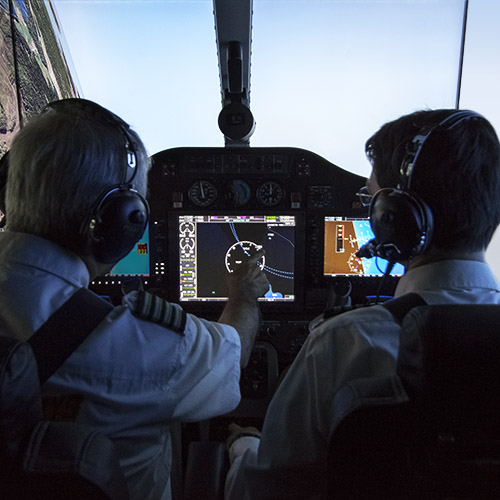
The out the window scene and flight instruments can be recorded using a NTSC video recorder located at the CCTV and Recording station.. Additionally, the pilot's face can be seen and recorded as a Picture in Picture (PiP) inset. As an option, ETC can provide digital recording of the CCTV and audio signals, which greatly reduces storage requirements, while providing increased capability for locating specific records, copying, and transporting or transmitting this data as required by the customer.

Flight Recording Function

Recording is provided for the trainee aircraft flight. This flight is easily retrieved and either played back for display/debriefing.

Flight Data Recording Function

The pilot's flight data can also be recorded. Standard tools for data management, such as Microsoft Excel may be used for this analysis. ETC can provide as an option a transmitter/ receiver device, which enables the medical signals in the cockpit to be radio-transmitted down to the measurement device at the console.

Replay Function

ETC GYROLAB™ records all necessary data to accurately replay a flight. The aircraft position data as well as the initial conditions, which control the visual display are stored and can be replayed, for an accurate depiction of the recorded flight.

If a specific data format is specified, ETC will be happy to design an automatic interface between the data storage and the GYROLAB™ device as an option.

Sound Recording and Storage

ETC provides software to digitize recorded audio (for narration, tower commands, etc.), which the instructor can incorporate into the flight profiles. The Instructor has the capability to edit the narrative comments, commands, and to add, modify existing, or create new embedded training for a more realistic experience. Any type of sounds can be recorded. Sound input can be from a microphone, tape player, audio CD or computer sound file.

Sound Playback

The digital sound system produces realistic flight and engine sounds appropriate for the type of aircraft emulated. These sounds provide the trainee with aural cues during all phases of flight operation. Additionally, the sound system provides intercom communication between the trainee and an instructor and/or second crewmember that can fly the GYROLAB™ ASDT from the Instructor Station. The instructor can use the sound system to simulate commands from an air traffic controller, from other controlling agencies, or from a simulated flight instructor.

+ Back to Training Equipment


NEWS & EVENTS
:: Sir Richard Branson Trains for Virgin Galactic Spaceflight at the NASTAR Center
:: NASTAR Center Officially Opens on 50th Anniversary of Sputnik Launch
:: NASA Astronaut Buzz Aldrin to speak at NASTAR Center's Launch Ceremony...
:: NASA Astronaut Dan Barry to speak at NASTAR Center's Education Day...
More News & Events
GLOBAL CONTACTS
South Asia
Turkey, Middle East and North Africa
Latin America, and Sub Sahara Africa
North Asia
Western Europe
Eastern Europe
North America
ABOUT ETC
Corporate Background
Investor Relations
Career Opportunities
News Releases
More About ETC